Run the café till locally on your own compatible Windows device.
Free café EPOS for Windows
Free café EPOS software for cafés and coffee shops
Serve counter orders, eat-in tables and takeaways from one straightforward Windows till for £0. Codeer Café EPOS keeps products, modifiers, receipts and daily reports together, with Cloud planned as a separate upgrade; ask about availability.
Free Windows pilot · Register with your business email · No payment card
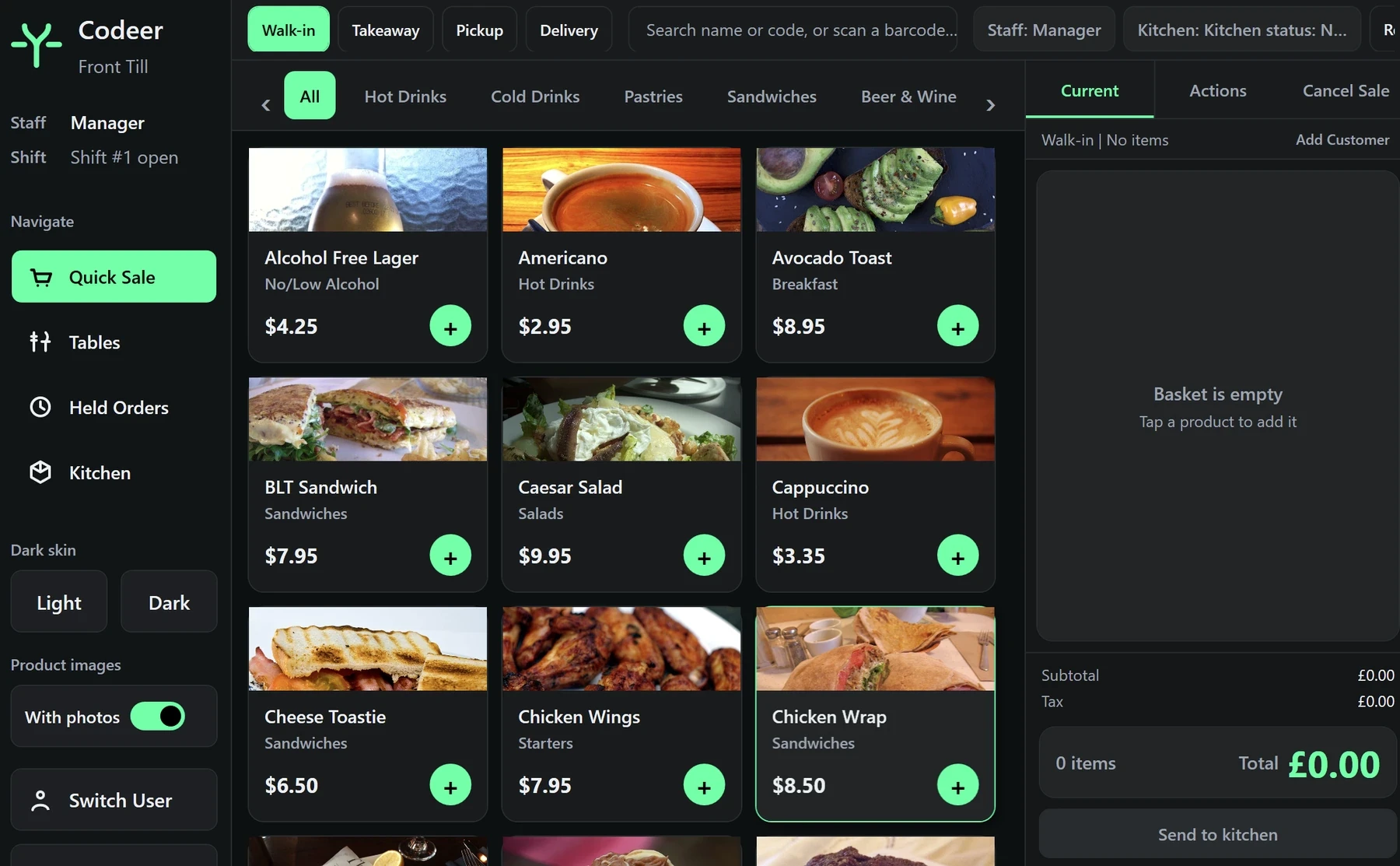
Codeer Café EPOS · Quick saleWindows · Local mode
Planned Cloud upgrade per venue. See all Hospitality plans below.
Choose a prepared touchscreen till, cash drawer and receipt printer setup.
Hospitality pricing
- Free Windows pilot · £0
- Local till, kitchen orders and daily close. The next reporting release gives new Free venues 31 days of sales analysis. Historical transactions, receipts, closes and bookkeeping exports remain available. Existing Free installations keep their local reporting.
- Cloud (planned) · £10 per venue per month
- Planned upgrade with remote reporting, cloud backup and synchronisation, intended to analyse all available sales history and compare periods. Ask about availability; these features are not included in the current local pilot.
- Cloud with Menu Assistance (planned) · £15 per venue per month in total
- Planned package including Cloud and one batch of up to ten menu changes each month. Ask about availability before ordering.
- Initial menu setup · £49 once
- Send your menu and prices. Codeer builds up to 50 items with standard modifiers. You can also enter the menu yourself for free.
Choose your hospitality business
View all EPOS optionsCafé EPOS built for queues, choices and quick service
From the first coffee of the day to a busy lunch rush, the till keeps the everyday café workflow clear without forcing the core software into a monthly subscription.
Fast counter ordering
Place popular drinks, cakes, sandwiches and meal deals within easy reach. Staff can move from walk-in to takeaway orders quickly while keeping the basket visible.
Sizes, milk choices and extras
Use product modifiers for cup sizes, milk alternatives, syrups, heating instructions and other choices, helping staff capture the order clearly at the till.
Menus, prices and staff
Update products, categories, prices and staff access from one workspace. Adapt the menu for seasonal drinks, sold-out lines and changing lunch options.
Receipts and daily reporting
Review transactions, sales by hour, average ticket and category performance locally. Ask about the planned Cloud upgrade if you need remote reporting and synchronisation.
A free till for independent café businesses
Codeer suits cafés that need speed and control at the counter while keeping software costs predictable.
Independent cafésCoffee shopsBakeries and patisseriesSandwich barsDessert and ice cream shopsFood trucks and kiosks
Free café EPOS questions
Is Codeer Café EPOS really free?
Yes. The core Windows café till is £0 to run locally. Planned Cloud access is priced at £10 per venue/month; ask about availability, and hardware or additional services are available separately.
How do I get the café till software installed?
Register for the free Windows pilot, download the installer and open it on your till. Activate Codeer POS Command Centre online with the same business email. For assisted installation, contact Codeer for a quote.
Can it handle drink sizes and milk choices?
Yes. Product modifiers can be used for sizes, milk alternatives, syrups, preparation notes and other café order choices.
Will it work on my existing café computer?
Yes, if the device runs compatible 64-bit Windows 10 or Windows 11. A prepared touchscreen EPOS hardware package is also available.
What is planned for Cloud, and is it available?
The planned Cloud upgrade is priced at £10 per venue/month and is intended to add online backup, synchronisation and remote reporting. Ask about availability. The local café till remains free without it.
Can I keep selling if the internet drops?
The core till is designed to run locally, so counter sales are not dependent on a constant cloud connection. Online services require internet access.
Try the free café EPOS pilot
Register once to download the Windows installer. For help with hardware or installation, contact Codeer.
Independent cafés and coffee shops · A practical till trial
Can your café till keep two different coffees clear?
Codeer’s local Windows hospitality pilot costs £0. For a coffee shop, the useful test is not how many buttons the till has: it is whether a new member of staff can enter two similar drinks, change one and pass the right instructions to the barista. Try the sample order below with your own menu before using the till in service.
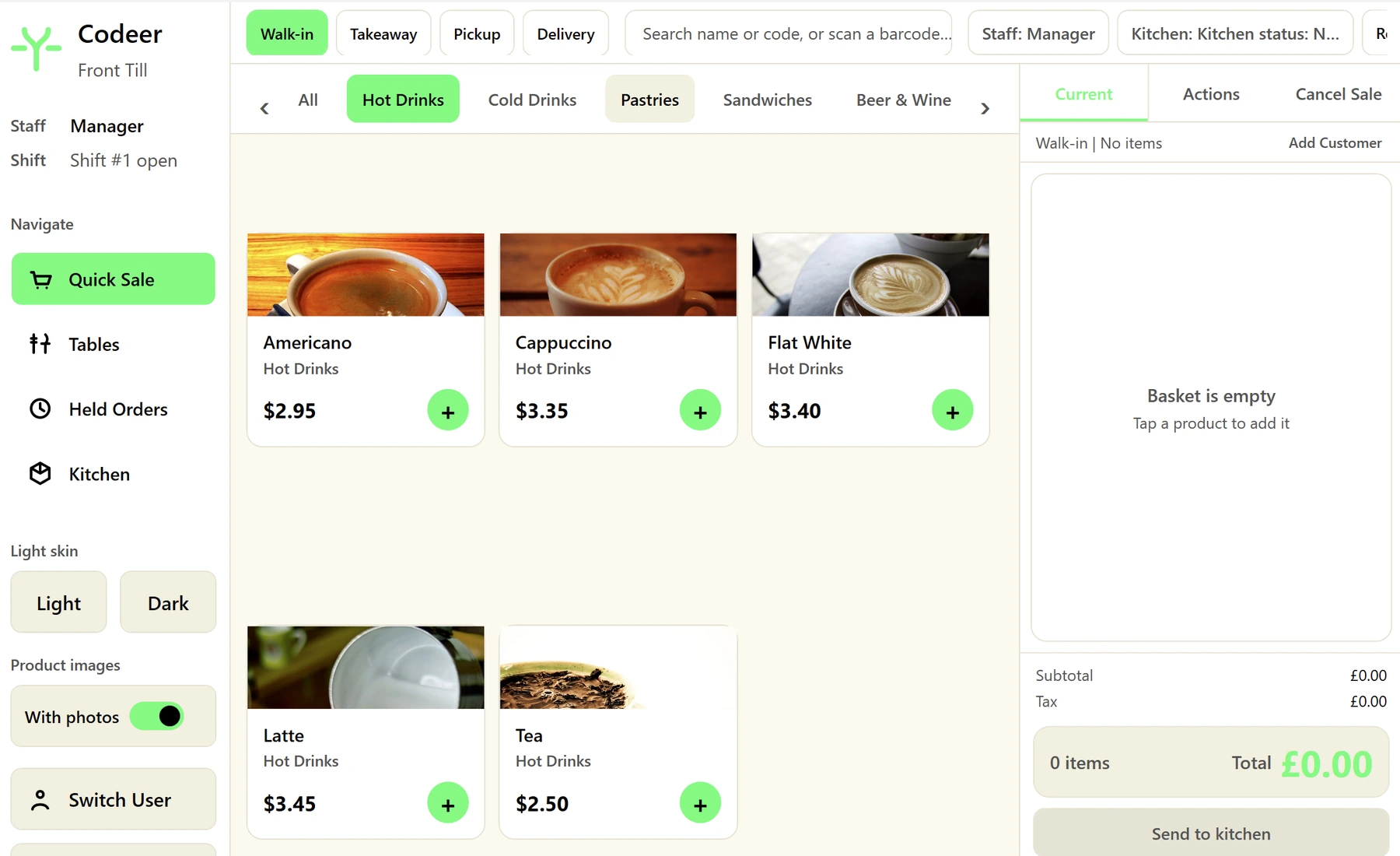
1. Build a £10.30 order without losing the milk choices
Practice example, not a recorded test: add a £3.20 latte with a £0.50 oat-milk option and a £0.60 extra shot (£4.30), a second standard latte at £3.20 and a £2.80 croissant. The expected total is £10.30. Check that the oat milk and extra shot belong only to the first latte.
Remove the extra shot before payment. The expected total becomes £9.70. Ask the barista to read back both drinks from the preparation view or ticket you intend to use. A correct basket alone does not show that the preparation station received the change. Test your printer or separate screen on the actual network.
2. Try the orders your queue really contains
- Coffee shop: regular and large sizes, a paid milk option, an extra shot and a change after sending.
- Bakery or sandwich café: one drink plus food, a sold-out item and a correction before payment. Ask whether ingredient-level stock or meal-deal rules are supported if you need them; a product list is not evidence of either.
- Eat-in and takeaway: check the order type, receipt and agreed tax configuration. Do not assume that every takeaway product receives the same VAT treatment. Use HMRC’s catering and takeaway guidance with your accountant.
3. Check payment, the drawer and the handover
For the corrected £9.70 example, test the payment method your café uses. If it is all cash, a £50 opening float with no other movements should finish at £59.70. If it is all card, the drawer stays at £50 and the card record should show £9.70 once. Compare the till and payment-provider records separately; do not infer card-terminal integration from the till’s payment screen.
Also test a refund, staff access, a restart and recovery from a backup. Online registration and activation need a connection; check ongoing internet requirements for your installed version and payment equipment. Use the café buying guide to compare results and costs.
What does setting up a café till cost?
The local pilot is £0. You can enter your menu yourself. Initial menu setup is listed at £49 once for up to 50 items with standard modifiers; confirm anything more complex before ordering. Hardware, card processing and installation are separate. Cloud at £10 per venue/month and Cloud with Menu Assistance at £15 total are planned upgrades, not features included in the current local pilot. Check the plan details.
Send Codeer your menu, existing Windows device, printer model and the way orders reach the barista. That gives us a useful starting point for setup advice or a scoped quote.
Read next: EPOS hardware checklist · What free EPOS includes.